

Pokemon Legends ZA – Custom Pokemon
STORE HOURS
MONDAY- SATURDAY 7AM-11PM PST
SUNDAY/MAJOR US HOLIDAYS – CLOSED
Choose any Pokémon and have it customized to your liking! Only legitimate Pokémon, Pokémon Moves, and Held Items are traded since these are verified through the online Pokémon Trading System. Once purchased, the following must be done and checked before trading:
What you have to do after purchasing:
🗸 Message me your In-Game-Name (so I know who I’m trading with) and Pokémon team using the method below.
Required method for proper service: Using Pokémon Showdown
1) Visit Pokémon Showdown
2) Click on “New Team -> +Add Pokémon” and follow the easy to create template
3) Once you are done, click “Import/Export” and copy your Pokémon(s) and paste them in to your message
NOTE: Any Pokémon customization that was not written in a message (nature, ball type, moves, etc.) or if any customization is illegal, it will be defaulted/made legal to my discretion!
🗸 Once I receive your message, I will contact you as soon as possible on my availability 🙂
What you will need prior to the Trading Process:
🗸 A switch…
🗸 A Nintendo Online Subscription Account
🗸 Depending on what you purchase (1,3,6,10,20), a few garbamons (garbage Pokémon)
✅ Requirements & Unlocking
Before you can trade, you’ll need to meet certain conditions:
- You must complete part of the story until the “A New Life in Lumiose City” section, and speak with NPC Mabel at the Pokémon Research Lab. That unlocks the Link Play and trading features
- You’ll need a valid internet connection
- A Nintendo Online Subscription
🔄 Step-by-Step Instructions:
- Purchase this listing.
Once payment is complete, message me your:- Trainer Name (from your game)
- 8-Digit Link Code you’ll use for the trade
- Set up your trade.
- Launch Pokémon Legends: Z-A on your Nintendo Switch.
- Open the Main Menu (press X) → choose Link Play → Link Trade.
- Select Faraway Player
- Enter the same 8-Digit Link Code you sent me.
- Wait for connection.
I’ll search for your code and connect to your trade lobby.
(Usually within 10–30 minutes after you message me your info.) - Confirm the trade.
- Once we’re connected, you’ll see the Pokémon being offered.
- Select any Pokémon from your game to trade in return.
- Confirm the exchange and enjoy your new Pokémon!
If you have any questions, feel free to message me!
DISCLAIMER: All trademarks shown here are the property of their owners. This service is provided by a third party and is not sponsored, endorsed by, or connected with Nintendo of America, GAME FREAK, The Pokemon Company, in any way. This is just a guide to obtain/unlock these Pokemon via in game trade.
1 review for Pokemon Legends ZA – Custom Pokemon
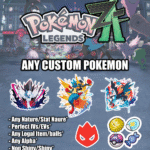 Pokemon Legends ZA - Custom Pokemon


Excellent transaction! Have known this seller since 2020 when he started on eBay and he’s always delivered with zero issues! Thanks again bro!